 Mind & Manas
Video Guides
Watch how to get started.
A short walkthrough for each way into the programme. Pick yours, play it here, or follow it step by step below.
I am a…
Getting started as an educator
Watch on YouTube →Getting started as a parent
Watch on YouTube →Getting started as a co-ordinator
Watch on YouTube →Step by step
Get started as a student in 5 steps
The same steps as the video. Open any picture to see it larger.
-

Mind & Manas
by Vimi Magic


Get the app
Search for Mind & Manas by Vimi Magic on Google Play or the App Store, and install it.
-
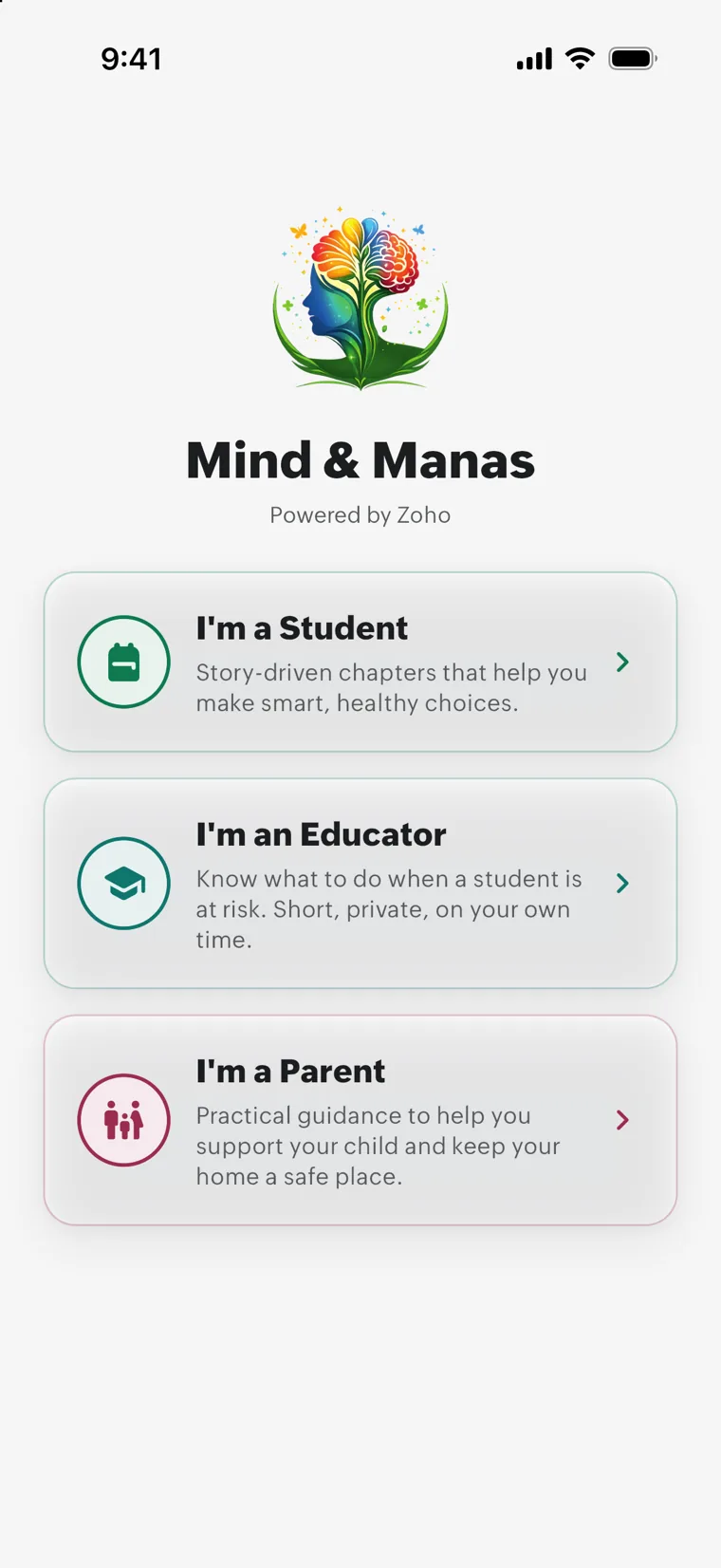
Choose “I'm a Student”
Open the app and tap I'm a Student. A short welcome follows; tap Get started at its end.
-
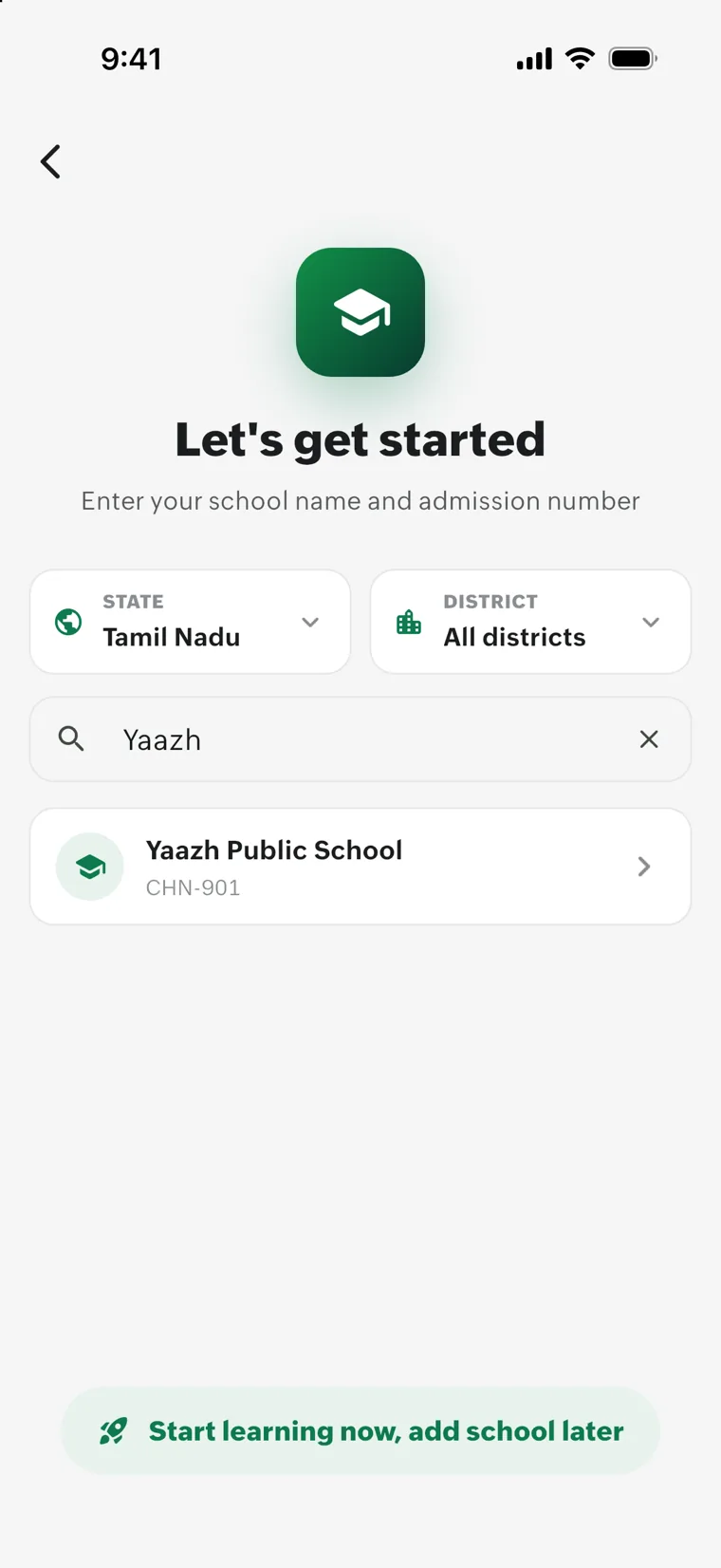
Find your school
Choose your state and district, search for your school and tap it.
-
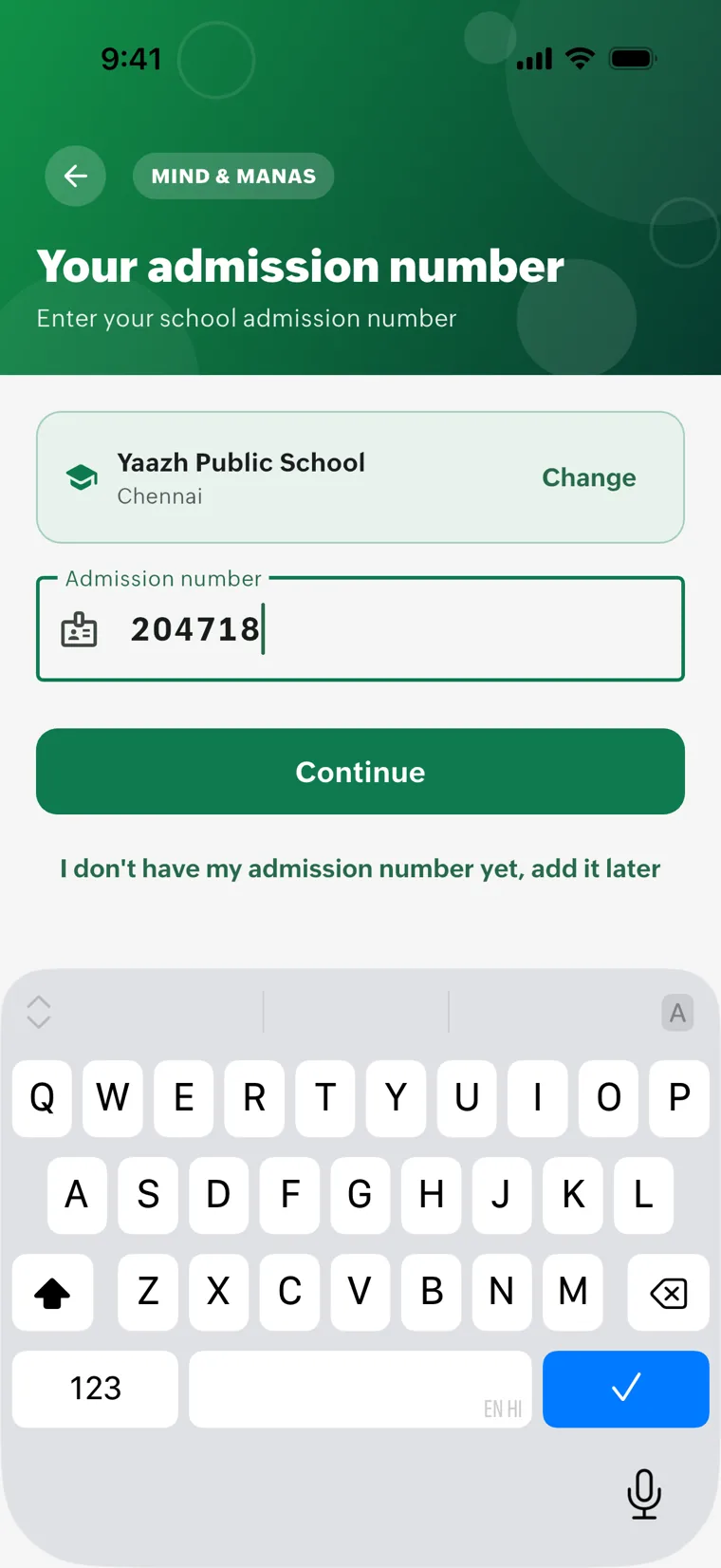
Enter your admission number
Type your school admission number and tap Continue. Check your details, then tap Start learning.
The app saves only this number, never your name.
-
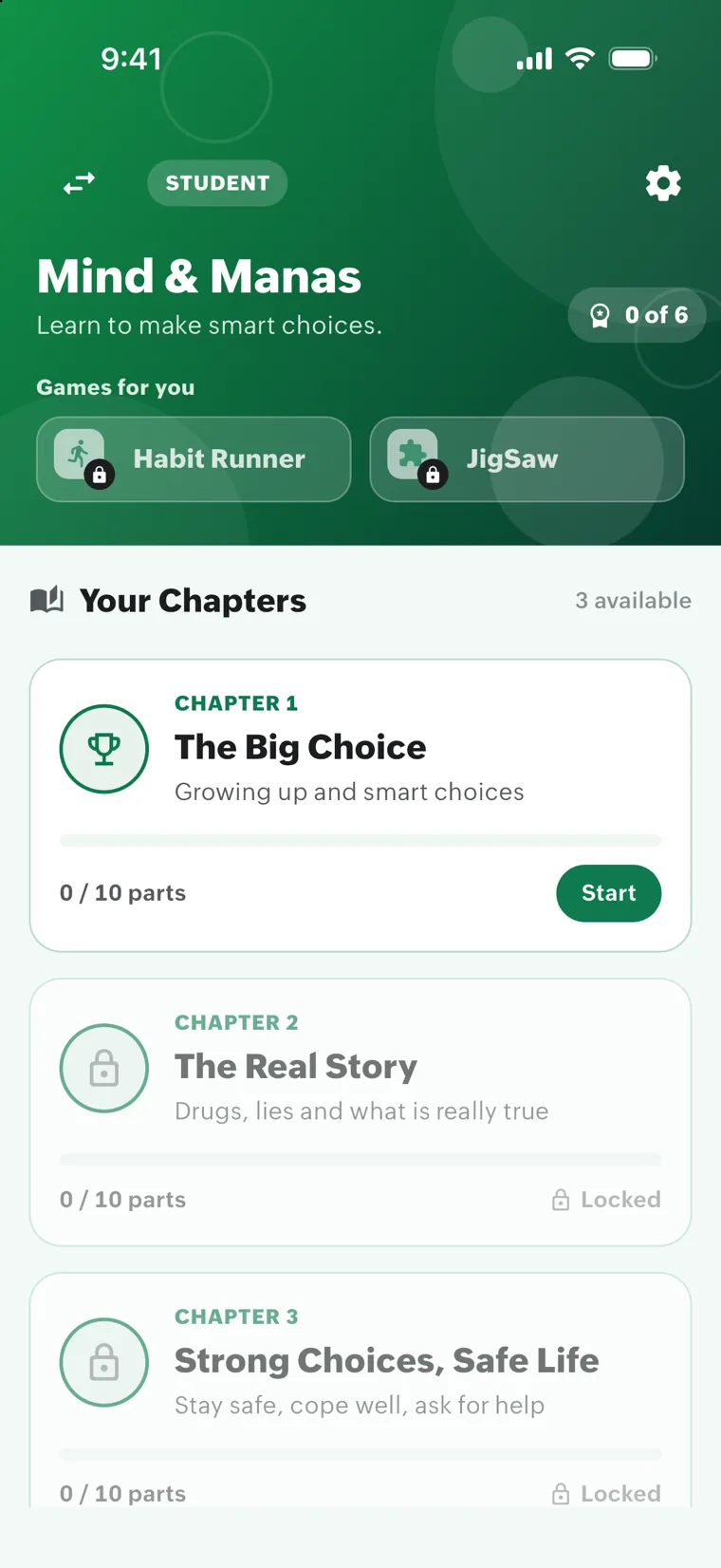
Start Chapter 1
Your chapters open. Tap Start on Chapter 1, The Big Choice, and follow the story.
Step by step
Get started as an educator in 5 steps
The same steps as the video. Open any picture to see it larger.
-
Mind & Manas
by Vimi Magic
Get the app
Search for Mind & Manas by Vimi Magic on Google Play or the App Store, and install it.
-
Choose “I'm an Educator”
Open the app and tap I'm an Educator. A short welcome follows; tap Get started at its end.
-
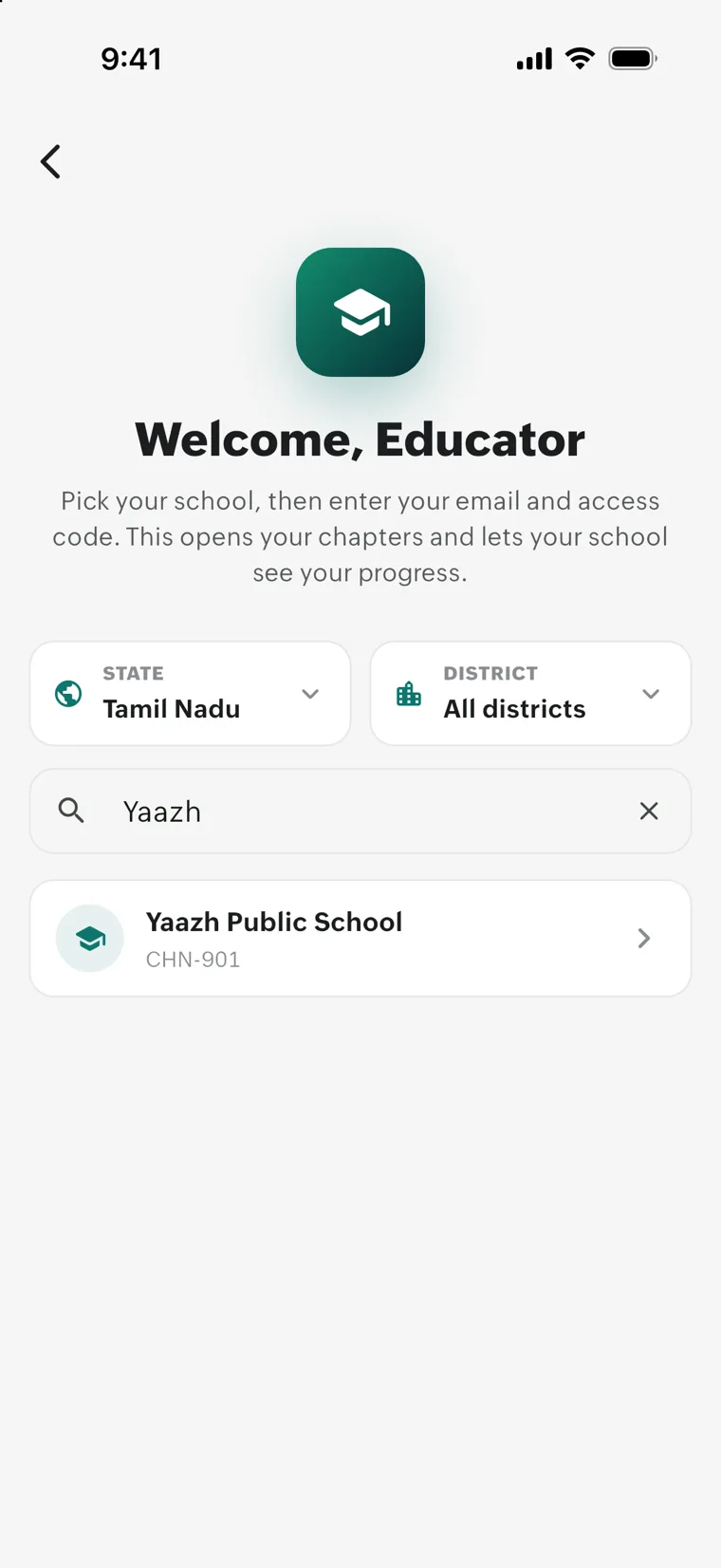
Find your school
Choose your state and district, search for your school and tap it.
-
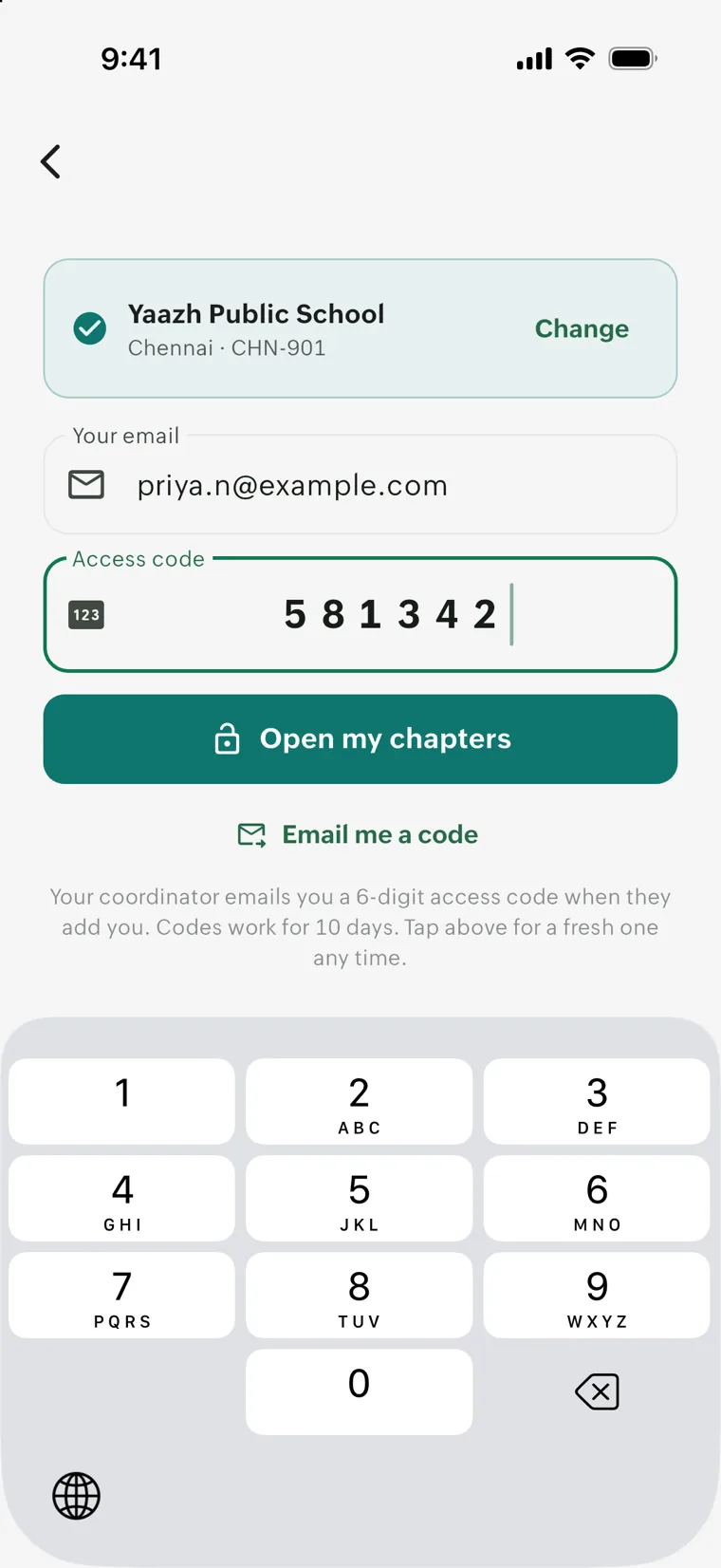
Enter your access code
Type your email and the 6-digit access code your co-ordinator emailed you. Tap Open my chapters.
No code? Tap Email me a code. A code works for 10 days.
-
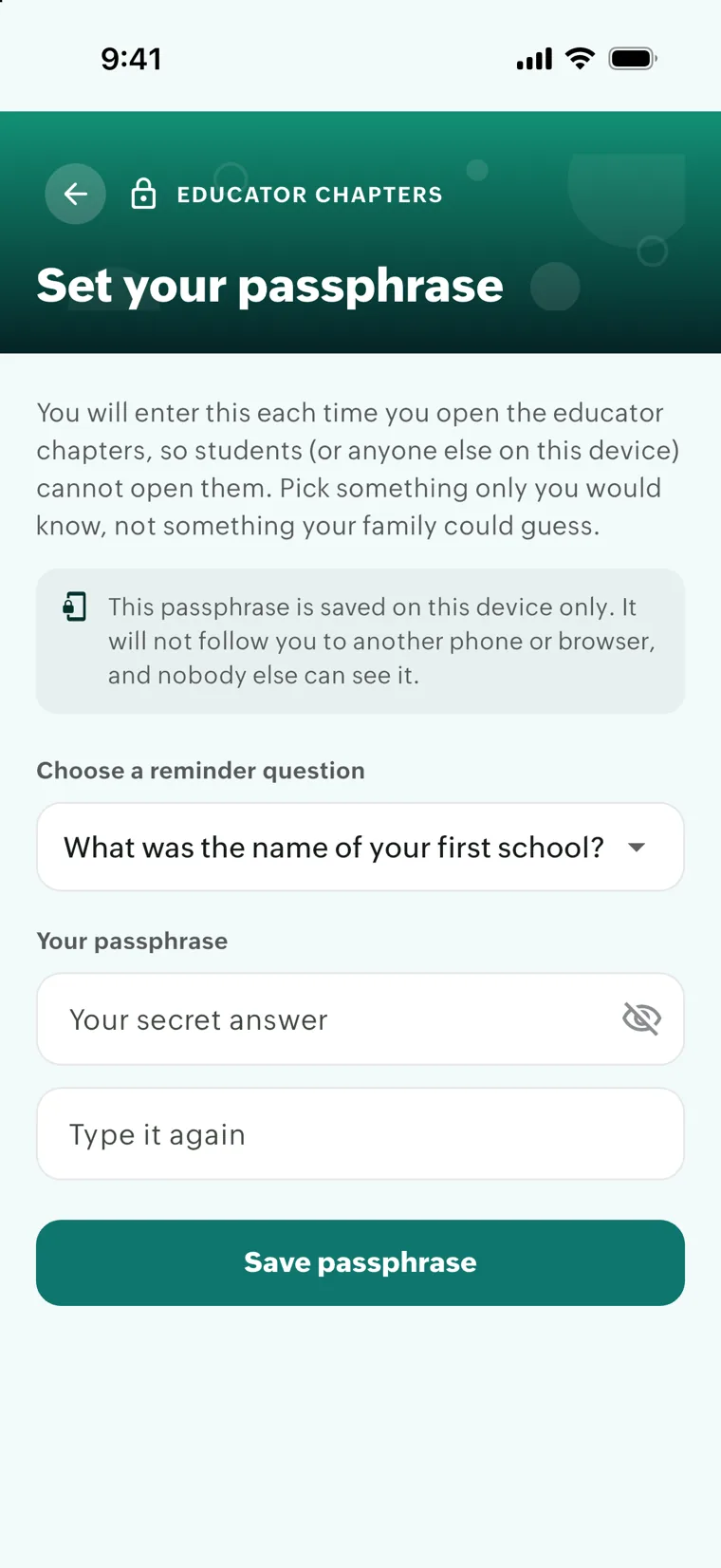
Set your passphrase
Choose a reminder question and a passphrase only you know. Then tap Start on Chapter 1.
You type it each time you open the educator chapters.
Step by step
Get started as a parent in 5 steps
The same steps as the video. Open any picture to see it larger.
-
Mind & Manas
by Vimi Magic
Get the app
Search for Mind & Manas by Vimi Magic on Google Play or the App Store, and install it.
-
Choose “I'm a Parent”
Open the app and tap I'm a Parent. A short welcome follows; tap Get started at its end.
-
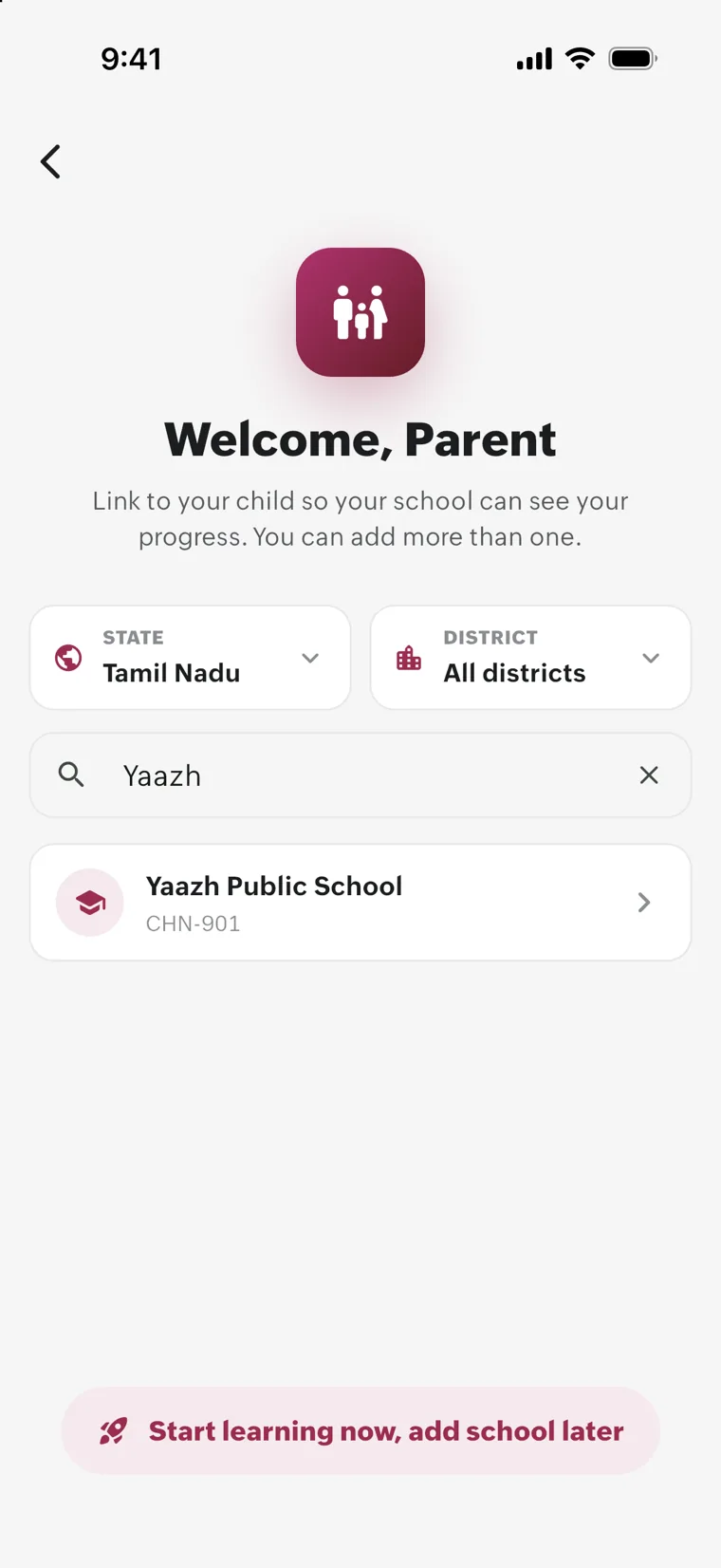
Find your child's school
Choose your state and district, search for your child's school and tap it.
-
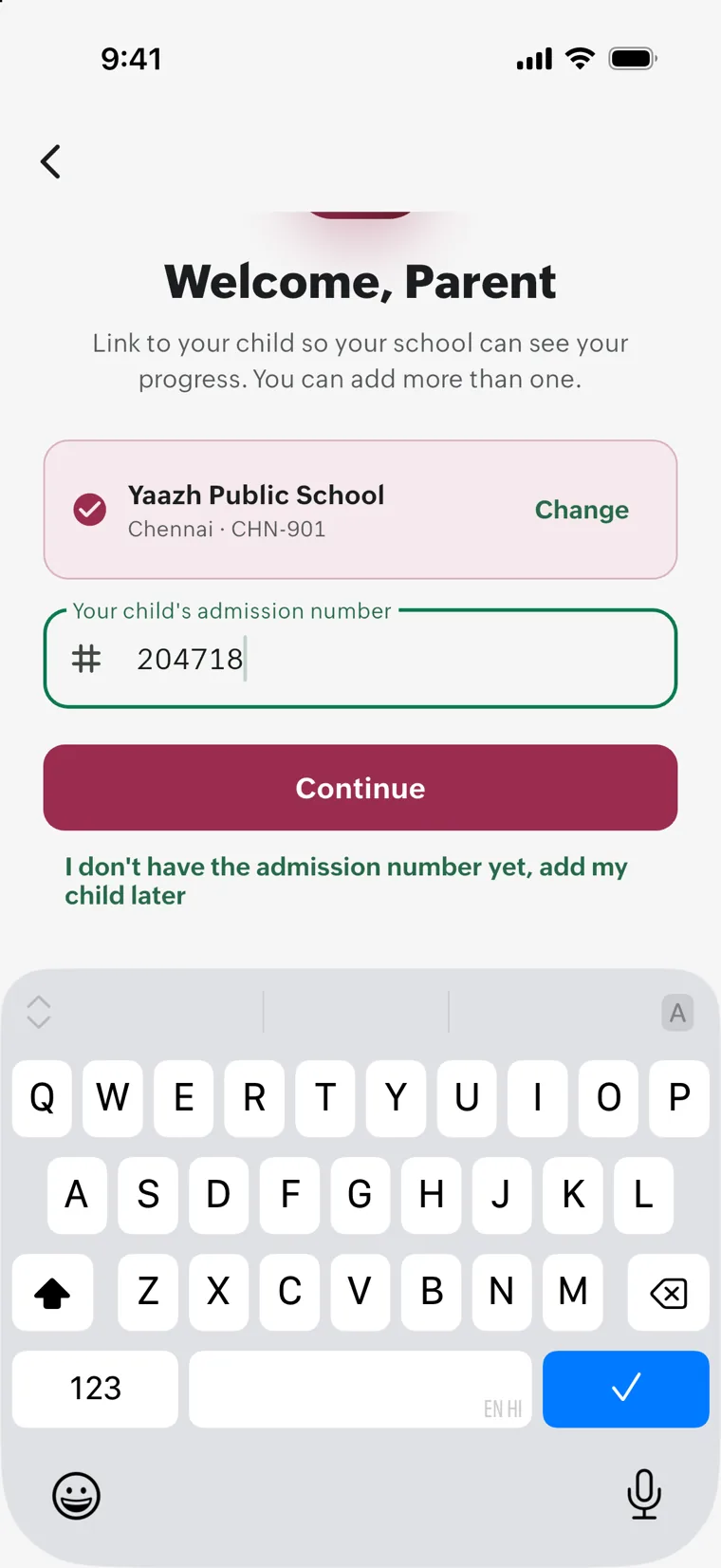
Add your child
Type your child's school admission number and tap Continue.
More than one child at this school? Add each one on the next screen.
-
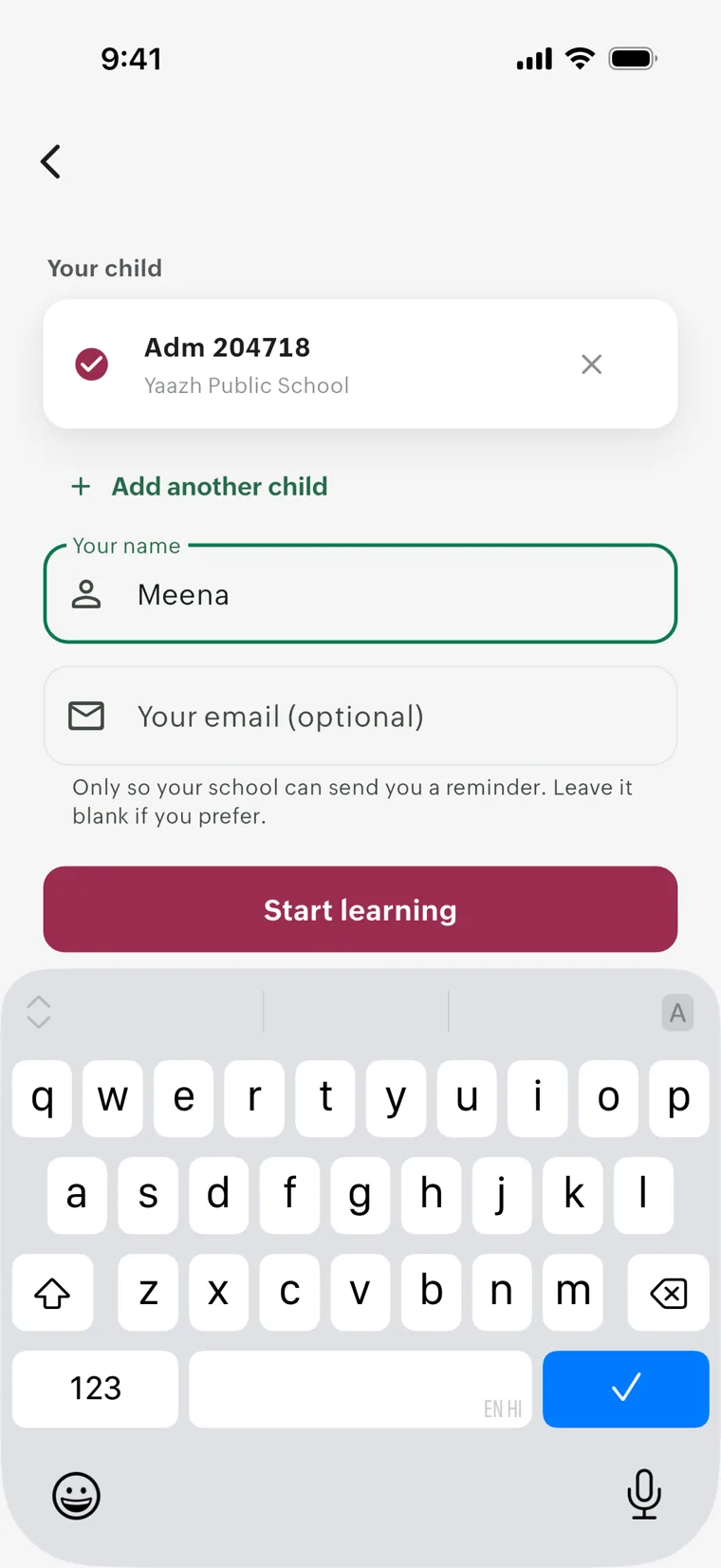
Add your name and start
Type your name and tap Start learning. Then tap Start on Chapter 1, The Power of Home.
Email is optional. Your school uses it only to send a reminder.
Step by step
Get started as a co-ordinator in 6 steps
The same steps as the video. Open any picture to see it larger.
-
You have been added to Mind & Manas
Set your passwordSet your password
Open the email “You have been added to Mind & Manas” and tap Set your password.
Link expired? Ask your NCB admin to resend the invite.
-
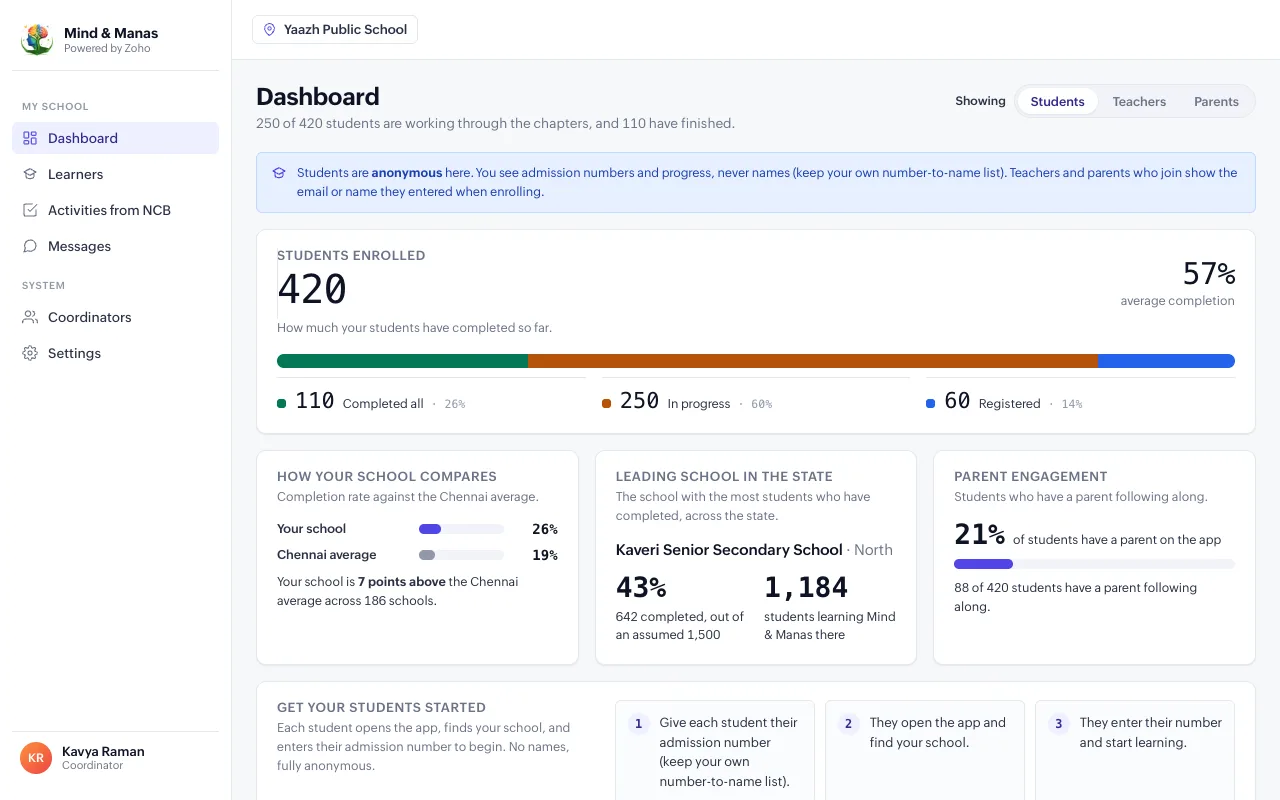
Sign in to your dashboard
Sign in on a computer. The first time, enter your school's student and faculty counts and tap Save.
The dashboard shows your school beside your district's average.
-
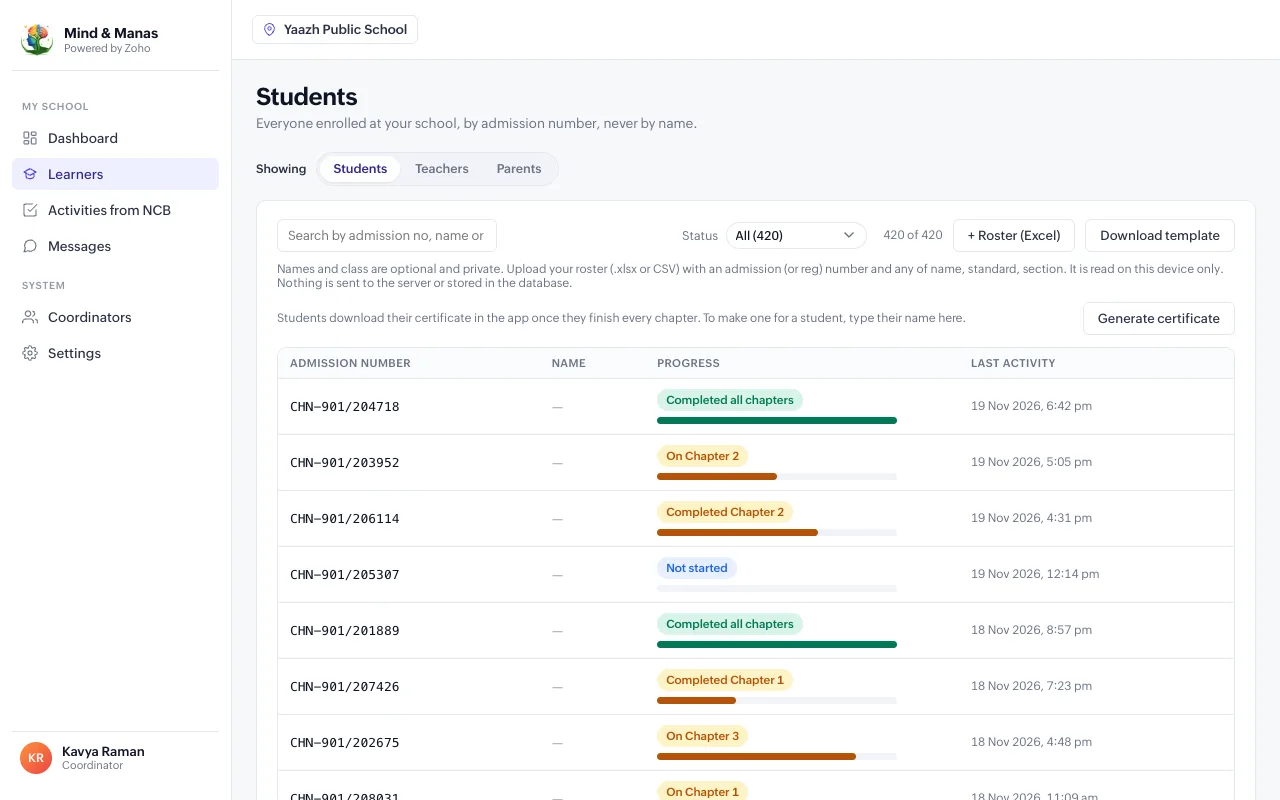
See your learners
Open Learners for every admission number and its progress. Tap + Roster (Excel) to show names.
Your roster is read on this computer only. It is never uploaded.
-
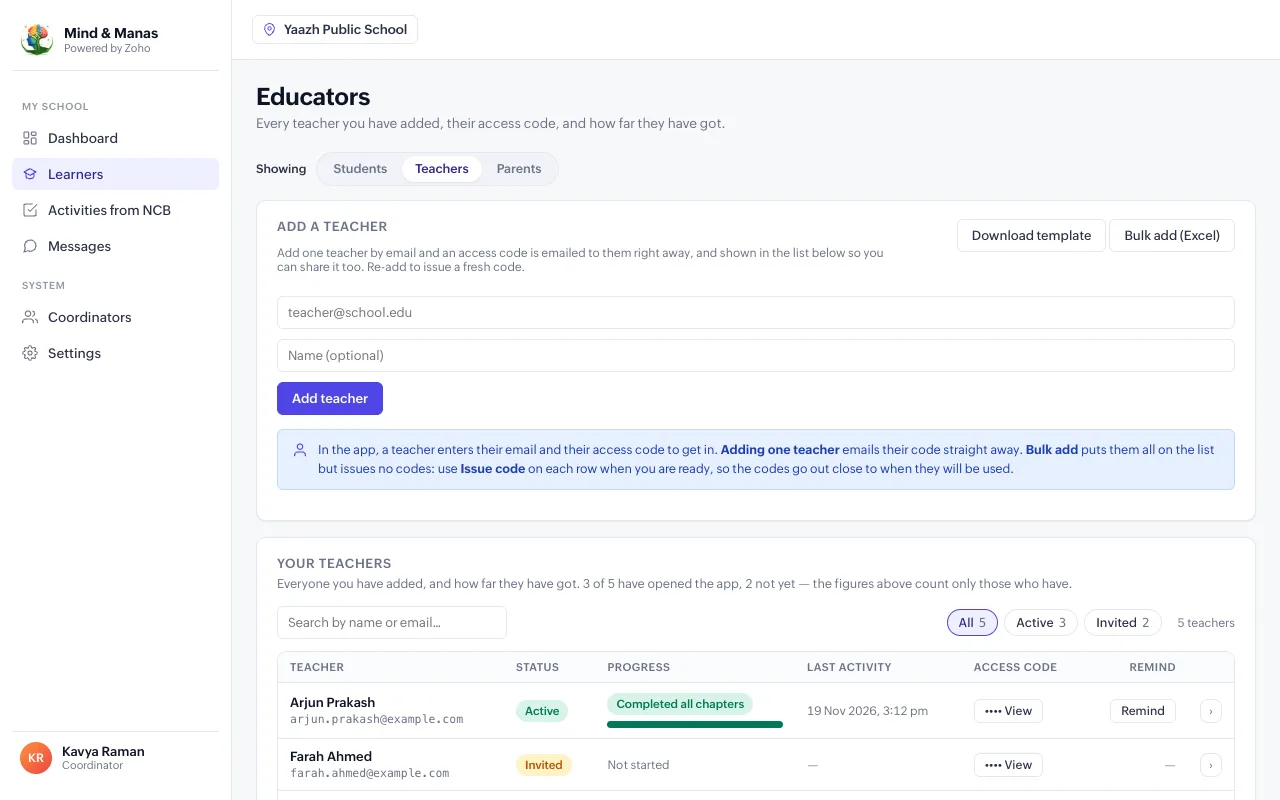
Add your teachers
On Learners, choose Teachers. Type a teacher's email and tap Add teacher. A 6-digit code is emailed.
A code works for 10 days.
-
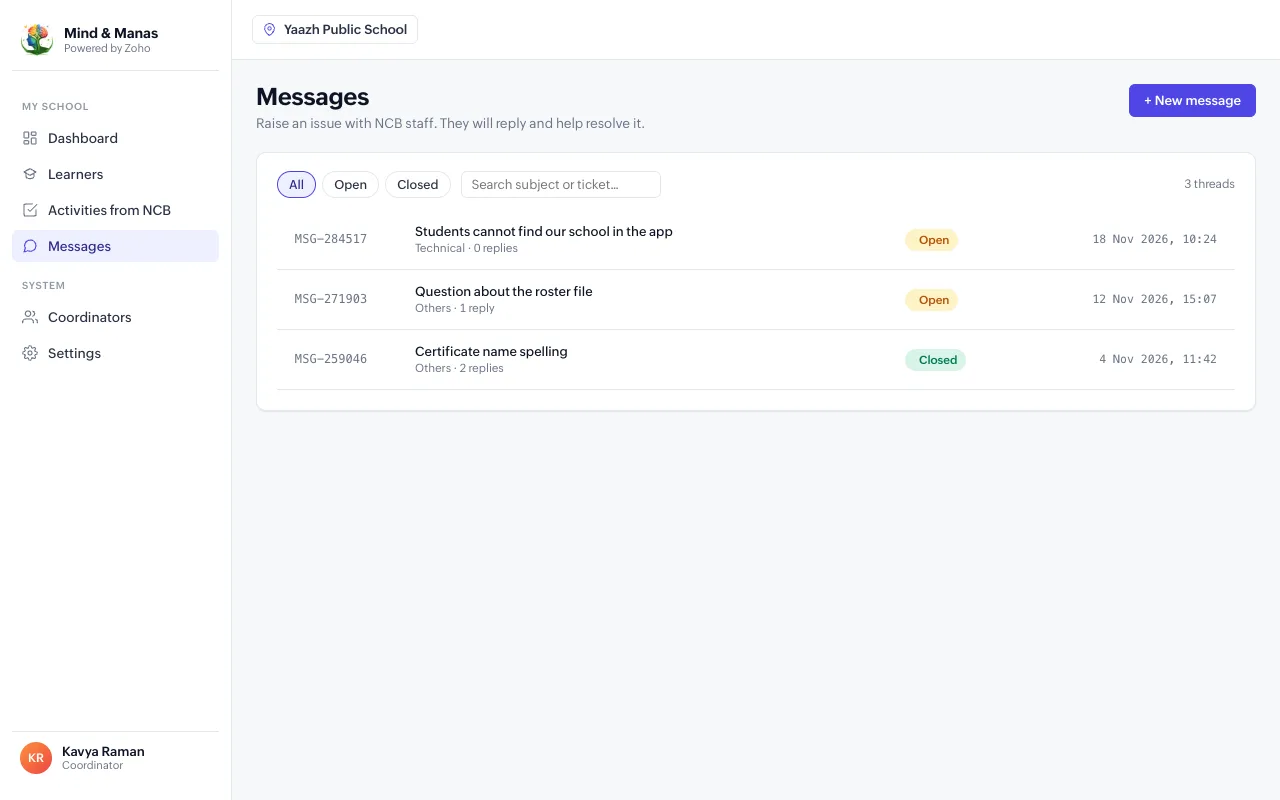
Ask for help
Open Messages and tap + New message to write to the Mind & Manas team.
-
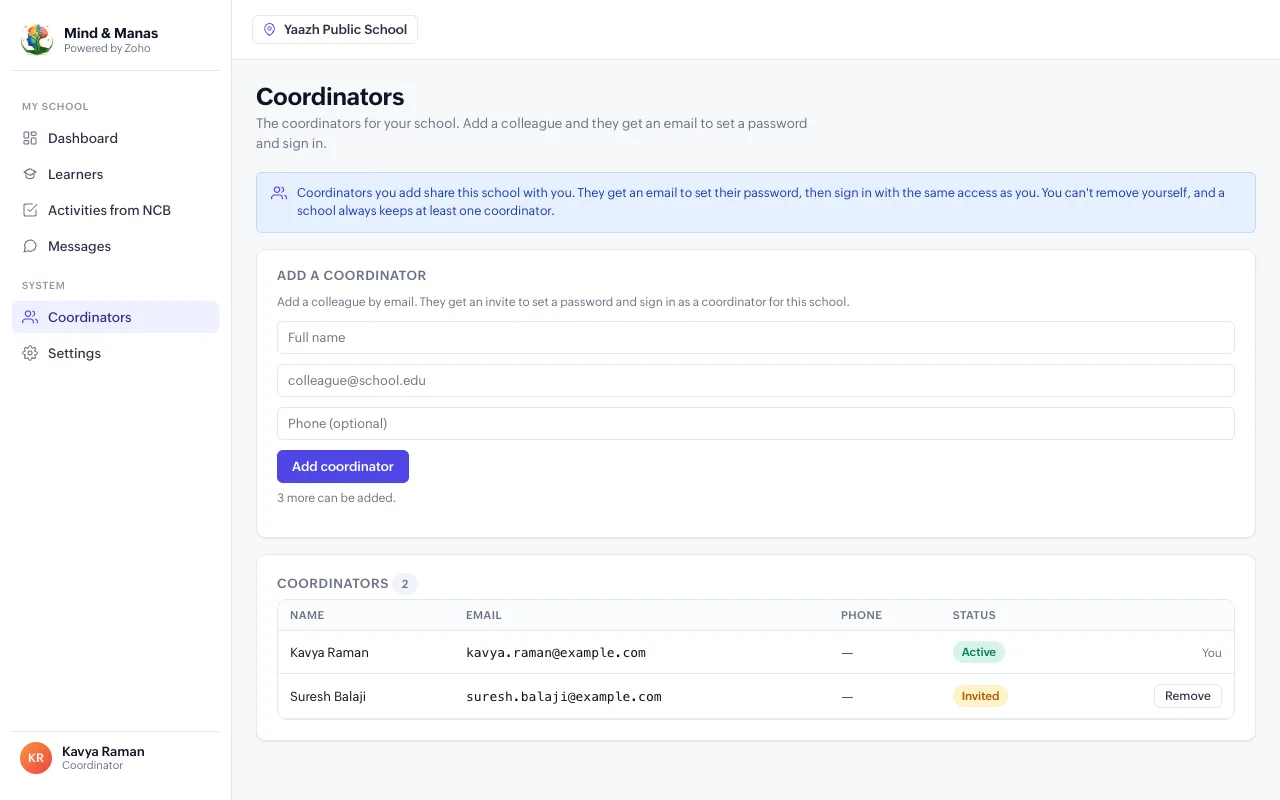
Share the work
Open Coordinators and tap Add coordinator. A school can have up to 5.
Still have a question?
The FAQ answers the common ones. For anything else, email or call the NCB team.